
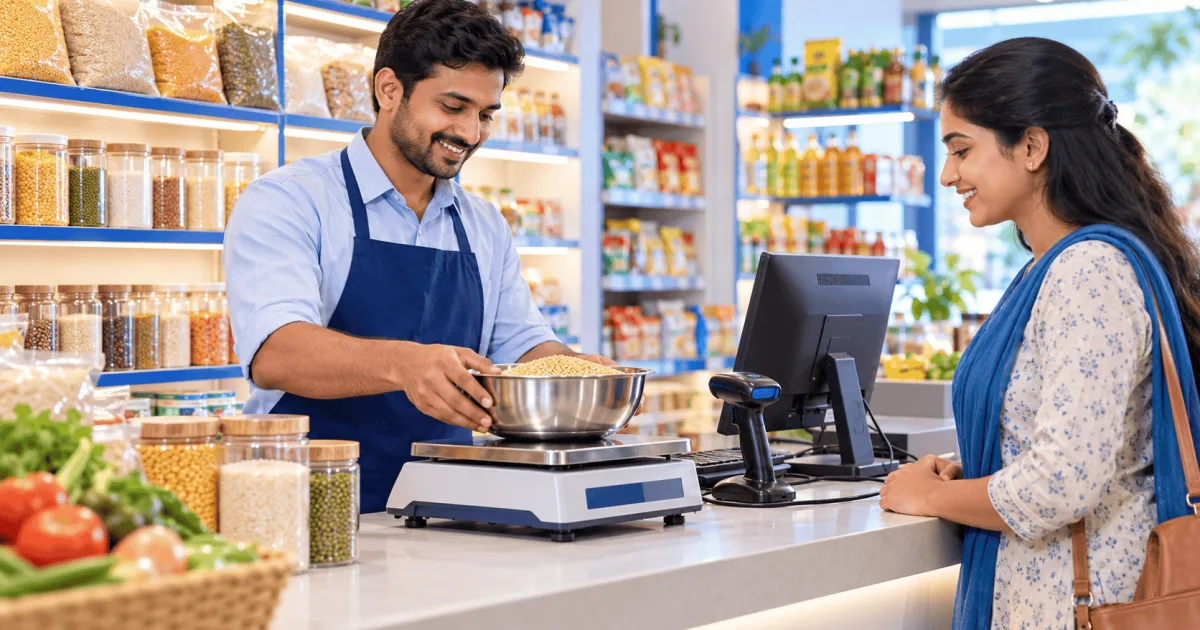
During the evening rush, typing weights and rates by hand slows your billing counter down. A cashier who types 1.50 kg instead of 1.05 kg, or picks the wrong variety of dal, creates queues, pricing errors and stock mismatches that eat into your profit.
Barcode billing removes most of this typing. A barcode scanner identifies packaged products instantly, and for loose goods a weighing scale can either send the weight to the billing PC or print a barcode label that already contains the weight or price. Here is how the two setups work, how to set up the counter, and what the law says about scales and labels.
Two ways to bill loose items
1. Weighing at the billing counter
The scale is connected to the billing computer. When the cashier places loose sugar or vegetables on the pan, the scale sends the weight to the billing software, the cashier picks the item, and the software multiplies weight by rate. This needs billing software that can read your scale's output, so confirm that with your software provider before you buy a scale.
2. Pre-packing with a barcode label printing scale
Staff weigh and pack loose items such as pulses, dry fruits or sweets at a separate table, and a label printing scale prints a barcode on each pack. These in-store barcodes normally use GS1 "restricted circulation" numbers that start with 2 (usually 20 to 29) and carry the item's PLU code plus the weight or the price. At the counter, the cashier simply scans the pack like any other product.
Branded packaged goods carry their own 13-digit EAN-13 barcodes, registered by the manufacturer with GS1 India, which any standard scanner reads.
Setting up the counter hardware
- Barcode scanner: most USB scanners work like a keyboard (HID mode) without extra drivers. Test one by opening Notepad and scanning a pack: the digits should appear.
- Scale connection: counter scales usually connect through an RS-232 serial port or a USB-to-serial cable, which Windows shows as a COM port.
- Find the COM port: in Device Manager, under Ports (COM & LPT), note the port number (such as COM3) and set the same baud rate as the scale, often 9600.
- Choose how the scale sends the weight: continuously, or only when the operator presses a key. Your billing software's settings must match.
- Test before going live: put a known test weight on the pan and check that the bill shows exactly that weight.
ValueSoft POS billing software supports barcode billing at the counter, along with offers and discounts, returns, stock transfer and WhatsApp invoices. Ask our team about connecting your particular scale model.
Why connected billing cuts errors and leakage
When the weight or price comes from the scale or the label, the cashier no longer types it, so the most common mistakes disappear and checkout gets faster. It also closes a common leak: with manual entry, a cashier can weigh 1 kg of dry fruits and bill 500 grams. And because each sale reduces stock by the exact quantity sold, your stock records stay close to what is really on the shelf. ValueSoft inventory software shows stock by item, batch and godown.
Whatever the setup, a GST tax invoice must show the details listed in Rule 46 of the CGST Rules, such as the description of the goods, quantity, value, taxable value and rate of tax.
Worked example: one bill, three kinds of items
| Item | How it is entered | Quantity / weight | Rate / MRP | Line total |
|---|---|---|---|---|
| Packaged biscuits (500 g) | EAN-13 barcode scanned | 1 pack | MRP ₹60.00 | ₹60.00 |
| Loose cashews | Connected scale (PLU 104) | 0.450 kg | ₹900.00 / kg | ₹405.00 |
| Pre-packed toor dal | Weight barcode scanned (prefix 22) | 1.050 kg | ₹160.00 / kg | ₹168.00 |
| Total | 3 items | ₹633.00 |
Line 1: the cashier scans the biscuit pack's EAN-13 barcode, and the software picks up the item, MRP and tax rate. Line 2: the cashier selects loose cashews (PLU 104) and puts the bag on the connected scale, which sends 0.450 kg; at ₹900 per kg the line comes to ₹405. Line 3: the cashier scans a toor dal pack weighed earlier; its barcode (prefix 22) carries PLU 102 and the weight 1.050 kg, so at ₹160 per kg the line is ₹168. The bill totals ₹633 without a single weight or rate typed by hand.
Legal Metrology rules for scales and pre-packed goods
- Use a verified and stamped scale. Under the Legal Metrology Act, 2009, a weighing instrument used for trade must be verified and stamped by the Legal Metrology department and re-verified at regular intervals (every year for most commercial weighing scales). Connecting the scale to software does not change this.
- Use the right accuracy class. Retail counter scales are normally of accuracy class III; jewellery and other high-value goods need finer scales.
- Penalties. Using an unverified or tampered scale is an offence under the Act and can lead to fines and seizure of the scale.
- Labels on pre-packed goods. Goods you pack in advance for sale are pre-packaged commodities: the label must carry the declarations required by the Legal Metrology (Packaged Commodities) Rules, 2011, including the MRP and the unit sale price (price per kg or per gram). Charging more than the MRP printed on a pack is an offence.
- Most shops don't need dynamic QR codes. The rule to print a dynamic QR code on B2C invoices applies only to businesses whose aggregate turnover crossed ₹500 crore in any year.
Upgrade your checkout
Scanning barcodes and using a connected scale or a label printing scale removes most hand-typed weights and prices, speeds up the queue and keeps your stock accurate. Keep your scales verified and your labels complete, and your counter stays on the right side of the law as well. ValueSoft has served Indian retailers since 1998 with billing software that works offline; book a free demo on kalasoftech.com to see it at your store.
Frequently asked questions
Do I need a label printing scale for pre-packed items?
If you pack loose goods in advance, a label printing scale is the simplest way: it prints a barcode with the item code and the weight or price, so the pack is scanned at the counter like any other product. The label must also carry the declarations required by the Legal Metrology (Packaged Commodities) Rules, including the MRP and the unit sale price.
How does barcode billing handle loose items like grains, sweets and vegetables?
In one of two ways: either a scale at the counter sends the weight to the billing software, or the item is pre-packed with a barcode label from a label printing scale. Those in-store barcodes usually start with 2 (prefixes 20 to 29) and carry the item code and the weight or price.
Does a scale connected to billing software still need Legal Metrology verification?
Yes. Any weighing instrument used for trade must be verified and stamped by the Legal Metrology department and re-verified at regular intervals. Connecting it to software does not change that.
How do counter scales connect to a billing PC?
Usually through an RS-232 serial port or a USB-to-serial cable, which Windows shows as a COM port. The billing software reads the weight from that port, using the same baud rate as the scale, often 9600.
Sources
This article is for general information. GST rules change from time to time: check the GST portal or ask your CA before acting on it.